
Upgrades and Customizations
Quarterly updates, extensions and Redwood pages, done safely.
Upgrade and Customization-In modern enterprise systems—especially cloud platforms like Oracle Fusion Cloud—the concept of updates and adjustments has fundamentally changed. To achieve continuous innovation, organizations must shift from intrusive code modifications to modern, upgrade-safe approaches.
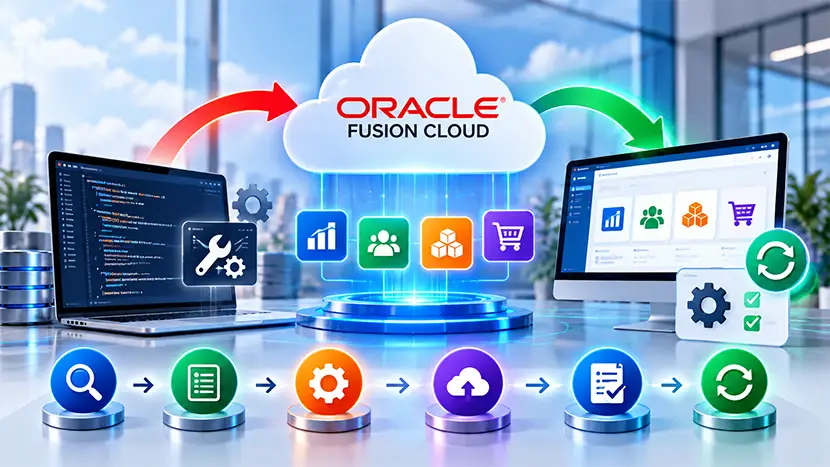
Customizations vs. Configurations
In legacy on-premises systems, “customizing” meant rewriting core database code. In modern cloud architectures, platforms distinguish between highly flexible, safe changes and custom extensions:
- Configuration (Upgrade-Safe): Tweaking the system using built-in tools. Examples include adding custom fields (Descriptive Flexfields), changing approval workflows, or altering layout displays. These modifications are saved in a separate metadata layer (like Oracle Metadata Services (MDS)). When the base system is updated, your configurations are seamlessly layered back on top.
- Customization / Extension: Building net-new capabilities outside the core application. Instead of modifying the database directly, developers build separate apps using platforms like Oracle Integration Cloud (OIC) or Visual Builder Studio, connecting them to the main system via standard REST/SOAP APIs.
The Upgrade Process (e.g., Oracle Quarterly Updates)
Cloud applications no longer undergo massive, disruptive upgrades every few years. Instead, they rely on a continuous delivery model—such as Oracle Fusion’s Mandatory Quarterly Updates (Cohorts A, B, and C).
The upgrade process follows a strict automation pipeline:
- Oracle Releases Update
- Applied to Test Environment
- 2-Week Validation Window
- Applied to Production
How Changes Arrive
Updates are categorized to prevent system disruption:
- Fixes & Minor Enhancements: Bug fixes and security patches. These are automatically enabled.
- New Functionality: Major new capabilities or user interface changes. These are delivered disabled by default. You must explicitly “Opt-In” to use them, allowing you to train users first.
The Customization & Lifecycle Process- To build configurations or test updates safely, enterprises follow a rigorous Lifecycle Management Process:
Sandboxing & Development
Changes are never made directly in a live system. Teams use an isolated environment layer called a Sandbox.
- Inside a sandbox, a business analyst can add fields or change forms without affecting other users.
Automated & Regression Testing
Whenever a quarterly update hits the test environment, organizations have a strict two-week window to validate their setup before it goes live in production. Testing focuses heavily on:
- Integrations: Ensuring third-party APIs (e.g., banks, logistics partners) still connect smoothly.
- Custom Reports: Validating that custom BI Publisher or OTBI reports extract data correctly.
- Security Roles: Confirming custom data-access privileges did not break.
- Many enterprises use automated testing tools (like Opkey or ACCELQ) to run thousands of test scripts instantly during this tight window.
Deployment & Publication
Once configurations are validated inside the sandbox, they are “published” to the test instance, bundled, and migrated to the Production Environment during scheduled maintenance windows.
Oracle Visual Builder (VBCS) and the Redwood Design System are Oracle’s definitive toolkit for constructing modern, cloud-native user interfaces. Together, they allow developers to build web and mobile applications—or directly extend Oracle Fusion Cloud Applications—using the exact same UI resources, themes, and design philosophies that Oracle uses internally.
- The Platform: A low-code visual development tool. It provides a What-You-See-Is-What-You-Get (WYSIWYG) visual designer while generating standard, “white-box” code using HTML5, CSS3, JavaScript, and the open-source Oracle JavaScript Extension Toolkit (JET)
- The Environment: Modern setups use Visual Builder Studio (VBS) to manage the full DevOps lifecycle, complete with built-in private Git repositories, team workspaces, issue tracking, and fully automated CI/CD deployment pipelines.
- The Design Philosophy: Redwood is Oracle’s signature consumer-grade user experience framework. It moves away from dense, text-heavy data grids into adaptive, search-driven layouts, analytical dashboards, and smartphone-responsive cards.
- The Components: Rather than forcing developers to build buttons or dropdown boxes from scratch, the Visual Builder Component Exchange houses pre-built Redwood UI pieces—such as advanced foldout layouts, smart search fields, welcome banners, and metric graphs.
The Three Development Scenarios
When working with VBCS and Redwood, the development process generally falls into one of three buckets:
Modifying Delivered Pages (Extensions)
Tweaking existing native Oracle Cloud pages (e.g., adding a custom field, hiding sections, or adding data-entry rules into an HCM page) using an upgrade-safe design layer that sits on top of the base app.
Creating App UIs inside SaaS
Building a completely custom dashboard or sub-application that installs directly inside the Oracle Fusion menu framework, sharing the same sign-on and styling.
Bespoke Standalone Applications
Building entirely isolated web or mobile Progressive Web Apps (PWAs) that blend Oracle backend data with external third-party software databases.
The Step-by-Step Development Process
The flow of building a Redwood interface within VBCS follows a sequential lifecycle:
- Create VBS Project
- Drag Page Template
- Bind REST APIs
- Define Action Chains
- CI/CD Deploy
Provision and Workspace Setup
- Developers log into Visual Builder Studio. When creating a new project, they select the Redwood Starter Application Template. This automatically pulls down core Oracle ecosystem dependencies, standard typography, and the default corporate color palette.
Layout Structure & Theming
Inside the Page Designer, developers map out the structural real estate of the app
- Instead of building complex responsive grid rules manually, the developer pulls layout styles like Smart Search, Welcome Page, or Horizontal Foldout from the component exchange and drops them onto the blank page canvas.
- The builder populates specific structural zones called “Slots” with visual blocks like KPI data indicators or profile lists.
Connecting Back-End Data (REST Services)
Redwood interfaces do not link straight to databases; they are strictly data-driven via APIs.
- Developers create Service Connections pointing directly to Oracle SaaS catalogs or external REST endpoints.
- A visual data mapper translates backend payloads into user-facing layout fields using live parameters.
- User Security Context: At runtime, Visual Builder Enforces Identity Propagation, meaning data visibility matches the exact roles of the user logged into the system.
Action Chains & Logic Processes
- Any functional page behaviour (e.g., clicking a card to open a menu drawer, validating text fields, or launching a success pop-up) is handled by Action Chains. Developers build these micro-workflows visually using a flowchart interface, which automatically writes efficient JavaScript underneath.
Build, Code Review, and Automated Deploy
- Once testing passes inside the personal development workspace, changes are committed to the integrated Git branch.
- Merging code triggers an automated VBS Build Pipeline.
- The pipeline packages the web assets and securely deploys the unified extension or standalone application straight into the target production cloud instance in a single click
Oracle technology we deliver this on
The same team covers cloud and on-premises products, so one engagement can span several of them.
Oracle Fusion Cloud ERP
Finance, procurement, projects and risk in one cloud suite.
Oracle Fusion Cloud HCM
Hire-to-retire HR, payroll and talent on one platform.
Oracle Fusion Cloud EPM
Connected planning, budgeting, close and reporting.
Oracle E-Business Suite R12
Implementation, upgrades and support for on-premises EBS.
Oracle NetSuite Cloud ERP
Cloud-native ERP for growing and mid-size businesses.
Oracle Analytics Cloud [OAC]
Dashboards, self-service BI and augmented analytics.
Talk to us about Upgrades and Customizations
Share where you are today and what you want to achieve. A senior consultant reviews every enquiry.
- A reply from a consultant, not a call centre
- Clear next steps and effort estimate
- No obligation
Prefer to talk?
Call or message us directly. A consultant will pick it up.
Chat on WhatsApp+91 81211 00987wisemastererpconsulting@gmail.comSend us your requirement
Your enquiry reaches our team on WhatsApp and by e-mail.
Enquiry saved. One step left.
WhatsApp should have opened with your details. Press send there so we get your message straight away. If it did not open, use the button below.
Open WhatsApp